Configure initial settings
Written By alexprinttools
Last updated About 2 years ago
Click the Gear icon at the bottom of the left-hand navigation to access the settings tab. In this article, we will cover the essential settings you need to configure when using PrintTools for the first time.
Tax Settings
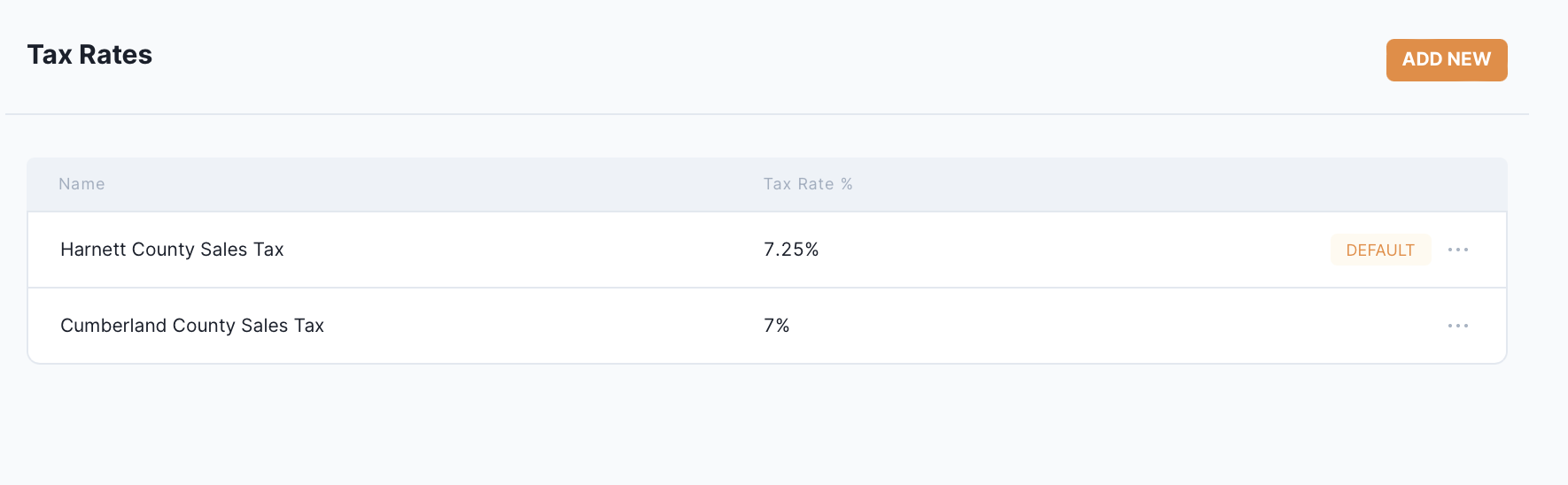
Configure different sales tax rates in this section. You can add as many tax rates as needed, but only one can be set as the default.
Steps to Configure Tax Settings:
Click “Add New” in the top right corner.
Name your tax rate and enter the rate as a percentage.
Select whether shipping gets taxed.
To set a tax rate as the default, click the “…” next to the tax rate and select “Set as Default.”
Terms
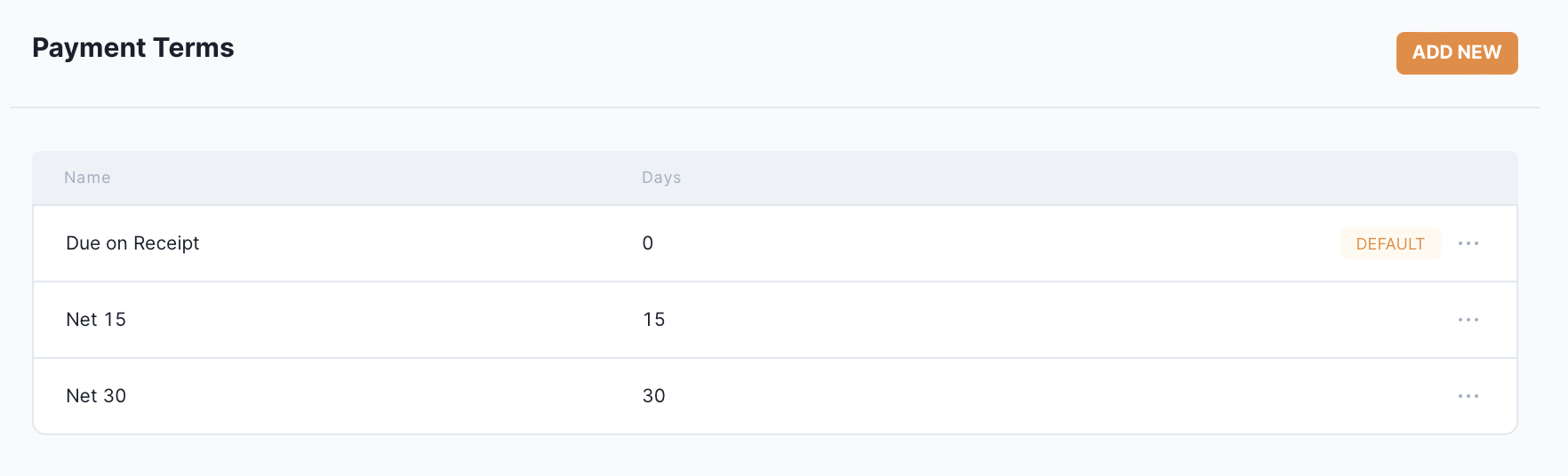
Define the payment terms for your customers. At a minimum, set up a "Due on Receipt" term to ensure the invoice due date is set to the current date when the invoice is downloaded or sent.
Common Payment Terms:
Due on Receipt: Payment is due immediately upon receipt.
Net 15: Payment is due 15 days after the invoice date.
Net 30: Payment is due 30 days after the invoice date.
Steps to Add a New Term:
Click “Add New.”
Type the name of the term and enter the number of days.
Click “Save” to save the new term.
You can also set a term as the default.
Shop Details
Enter your shop’s details, which will be used when generating invoices and other documents. This section also allows you to upload a logo and customize order numbering.
Steps to Configure Shop Details:
Logo: Upload a logo that is 300x50px in PNG or JPG format.
Contact Information:
Phone Number: Enter a public phone number for customer inquiries.
Email Address: Enter a public email address for customer communication.
Address:
Street Address: Enter your shop's street address.
City, State, Zip Code: Enter your shop’s city, state, and postal code.
Order Numbering:
Set your starting order number.
Add a prefix or suffix to the order number (e.g., RN1001 or SC-10001).
Note: If you need a dash, include it in the prefix or suffix as it will not be added automatically.
Summary
By setting up these essential configurations in PrintTools, you ensure that your print shop is ready for efficient and accurate operation from day one. Proper setup helps in managing taxes, payment terms, and shop details effectively, setting the foundation for a productive and well-organized business.